
Bring in the pattern you already have.
Start from SVG, PDF, PNG, JPG, or WebP artwork. Template Studio keeps the original proportions visible while you review the detected regions.
Search My Glass Cookbook
Pattern planning for stained-glass artists
Template Studio brings the pattern, finished dimensions, real Delphi sheet glass, piece assignments, and material review into one visual workspace—so the glass plan is easier to check before you cut or order.
Works on tablet and desktop. Opens at Delphi in a new tab.
Created by My Glass Cookbook. Available exclusively through Delphi Glass. Catalog browsing, current product availability, and checkout handoff are built around Delphi’s glass catalog.
Meet Delphi GlassMade for the real planning work
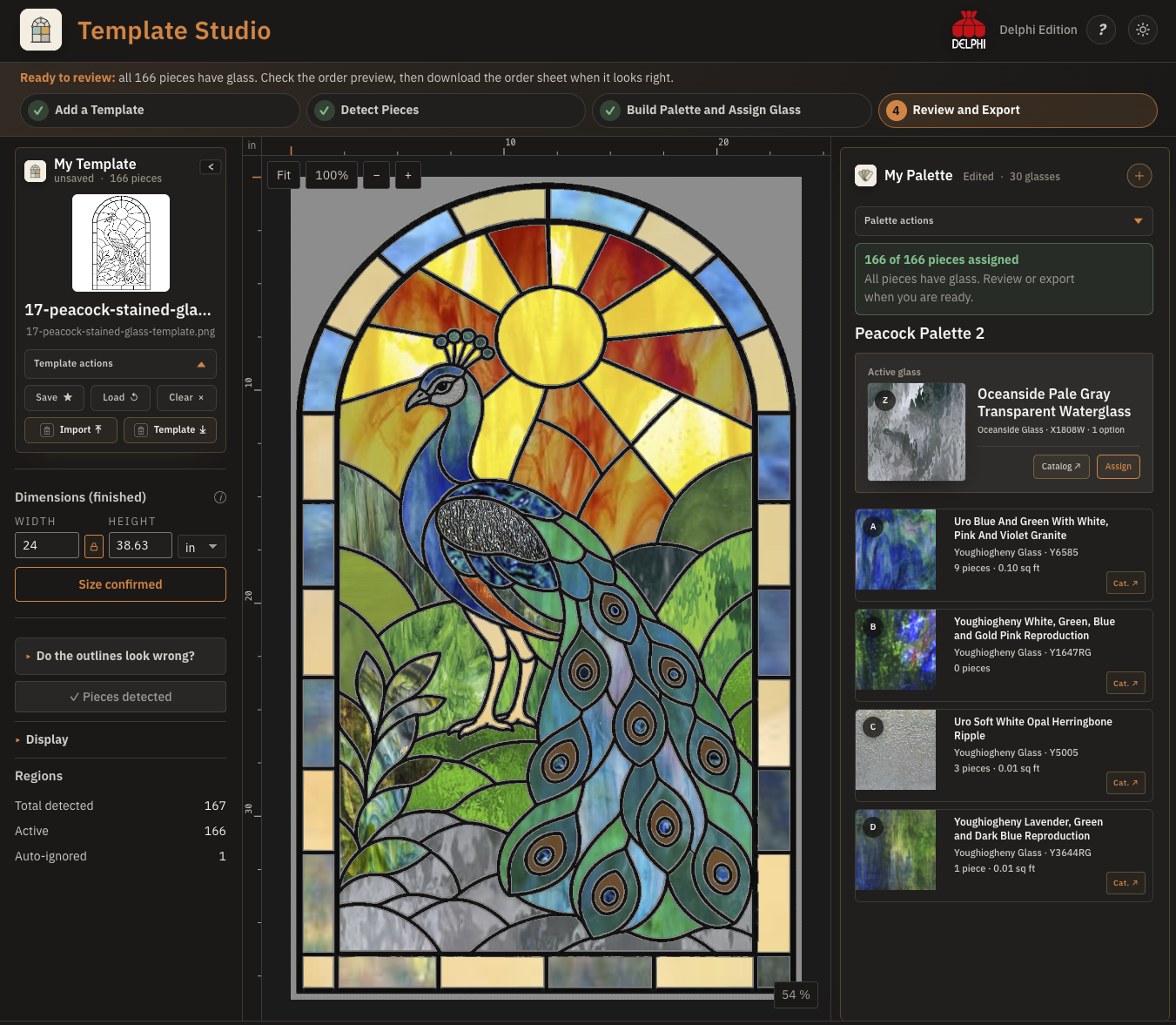
Start from SVG, PDF, PNG, JPG, or WebP artwork. Template Studio keeps the original proportions visible while you review the detected regions.
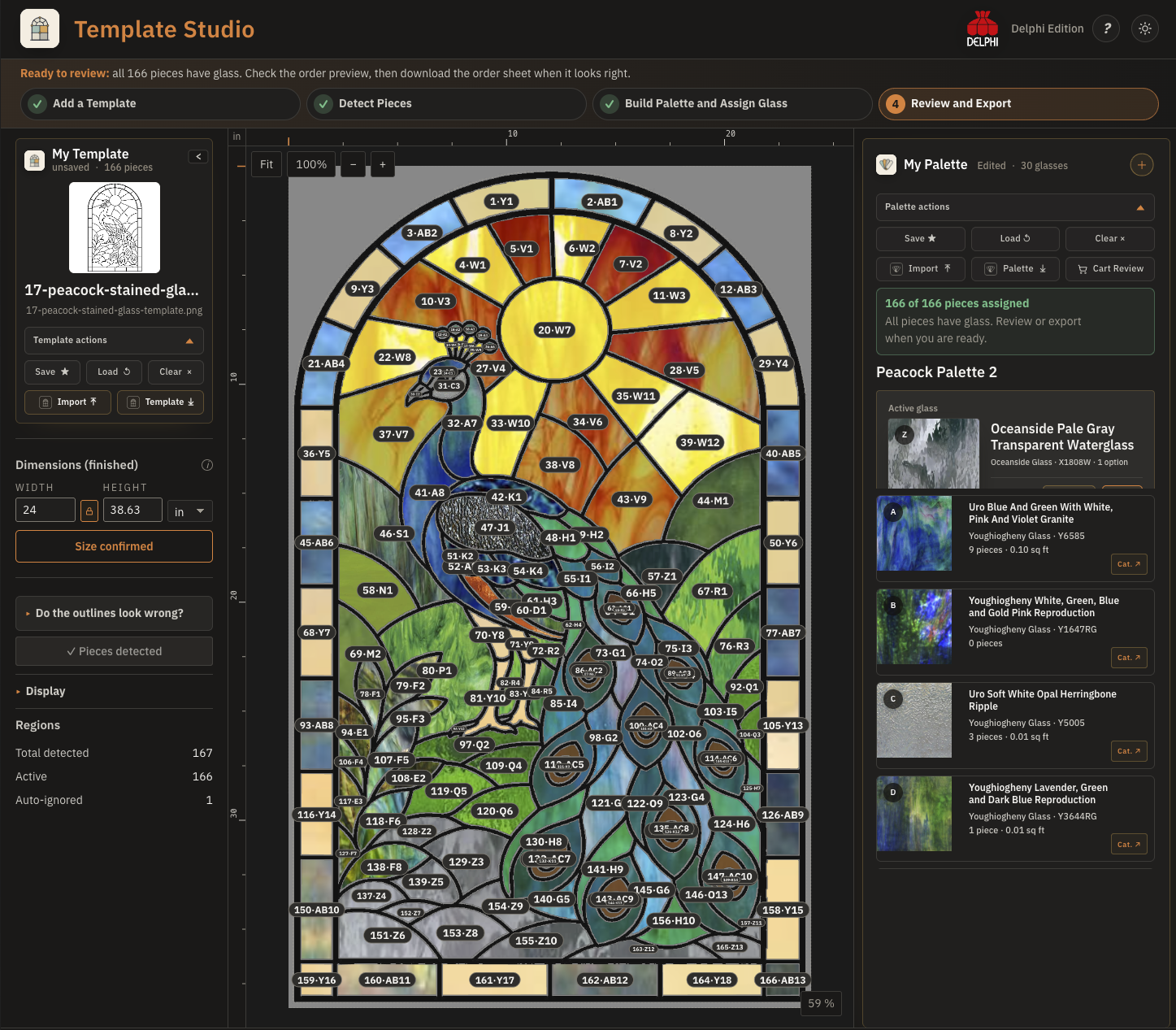
Load a portable Palette or choose sheet glass from Delphi’s catalog inside the workspace, then assign it directly to detected pieces with progress kept visible.
Confirm finished dimensions, review estimated material and quantities, download an annotated order sheet, save .tstudio.json, and continue reviewed glass to Delphi when ready.
A clear studio workflow
Template Studio is a planning tool, not an automatic guarantee that a pattern is structurally sound or that an estimated quantity is a cutting layout. It keeps the important decisions visible so you can review them.
Upload artwork, choose the right page of a multi-page PDF when needed, and review the detected outlines before assigning glass.
Set the finished width or height, load your Palette, and work through the pieces while assignment progress remains visible.
Inspect the complete plan, breakage allowance, estimated quantities, and unassigned pieces before downloading the order sheet or continuing to Delphi.
Cart Review + Delphi checkout
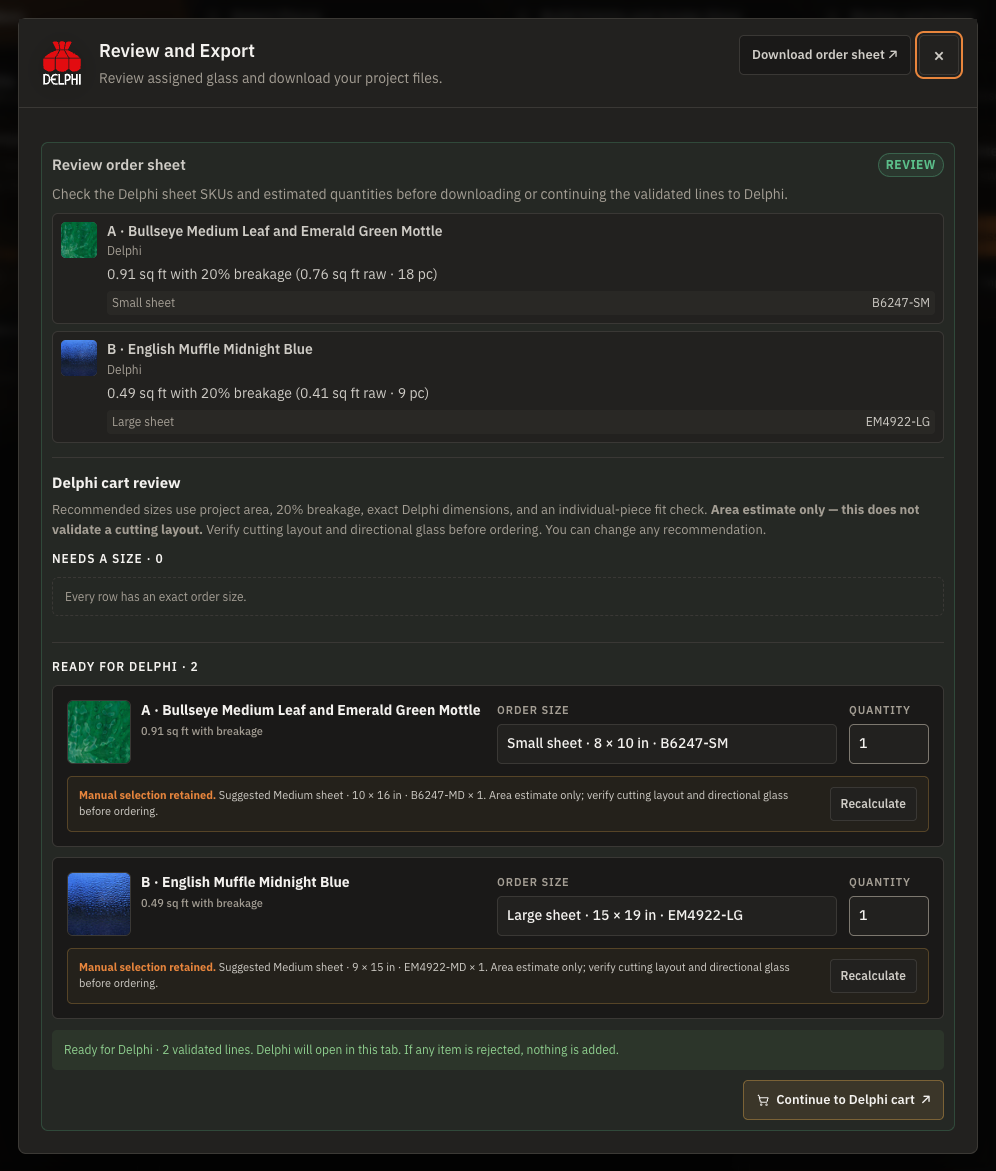
Template Studio gathers the real Delphi sheet glass assigned to pattern pieces and turns the planning estimate into reviewable order lines. Confirm the proposed sizes and quantities before continuing to Delphi.
Checkout happens with Delphi. My Glass Cookbook does not process orders or payments. Pricing and availability remain subject to Delphi’s current catalog and cart.
Where it helps
Turn a scanned or digital line drawing into a piece-by-piece visual plan before ordering or pulling glass from inventory.
Compare how a different sheet choice changes the complete panel without marking up the original artwork.
Use confirmed finished dimensions and assigned regions to create a reviewable planning estimate with an optional breakage allowance.
Keep assigned sheet glass, estimated material, exact order sizes, and quantities together before continuing to Delphi’s cart.
Project privacy
Core detection, assignment, and export work happens locally in the browser. Template Studio does not upload your pattern, artwork, project file, or piece assignments to My Glass Cookbook.
Device fit
The full workspace needs room for the template, glass choices, dimensions, and assignment controls. Phones intentionally show a clear boundary instead of squeezing the editor into an unreliable layout.
Works better together
Start with inspiration, compare real glass, and download a portable Palette. Template Studio can then use those selected sheet-glass choices inside the pattern.
Ready when you are
Your project work stays in your browser; only a cart handoff you choose sends reviewed product identifiers and quantities to Delphi.