
Start with color, not guesswork.
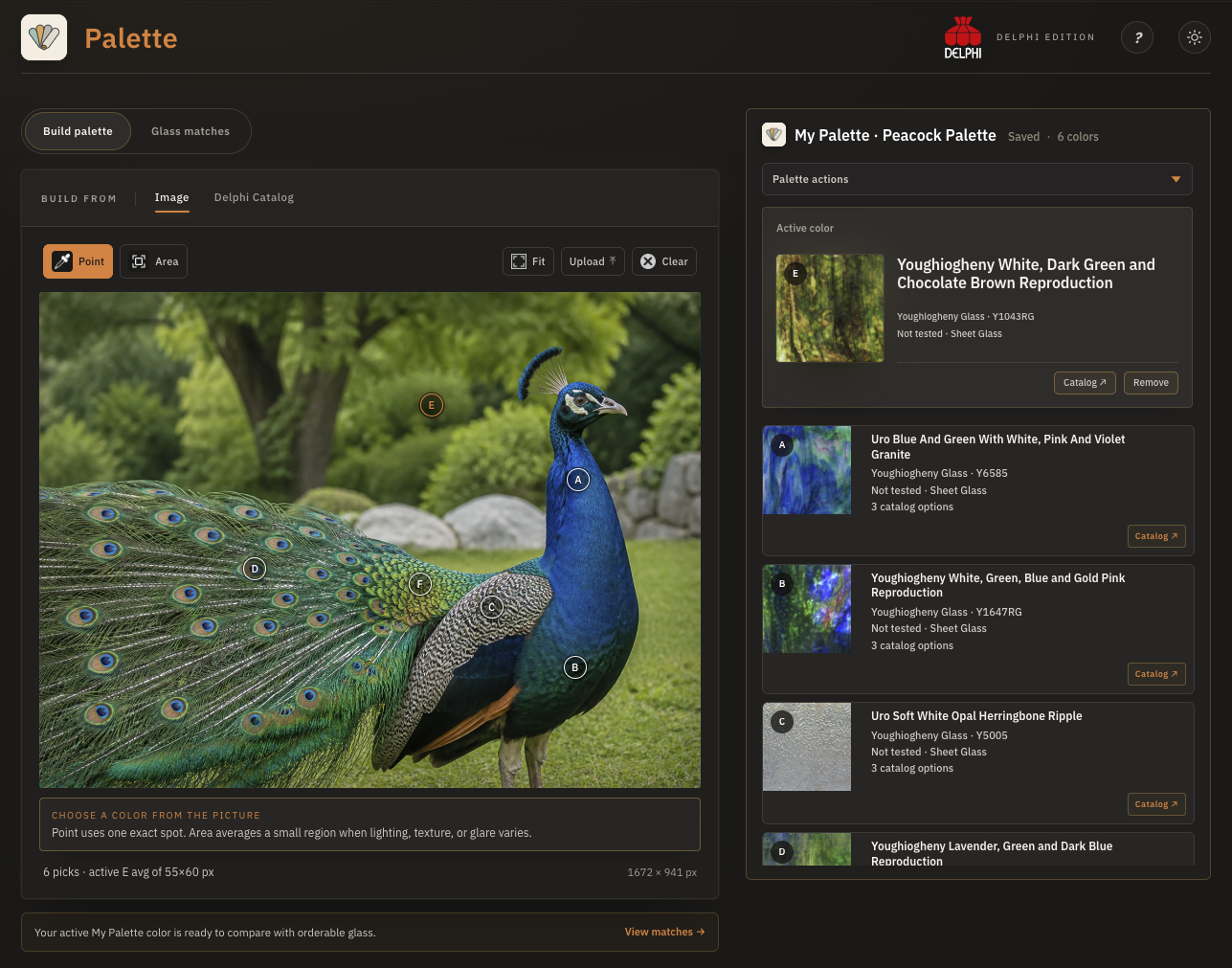
Upload a reference photo and sample one point or a small area, or add an exact color manually when you already know what you want.
Search My Glass Cookbook
Color planning for glass artists
Start with a photo, a color value, or an exact Delphi catalog product. Palette helps you compare close matches, save a working Palette, and keep the real glass you chose—not just a hex code—for planning and review.
Works on mobile, tablet, and desktop. Opens at Delphi in a new tab.
Created by My Glass Cookbook. Available exclusively through Delphi Glass. Catalog browsing, current product availability, and checkout handoff are built around Delphi’s glass catalog.
Meet Delphi GlassMade for the real planning work
Upload a reference photo and sample one point or a small area, or add an exact color manually when you already know what you want.
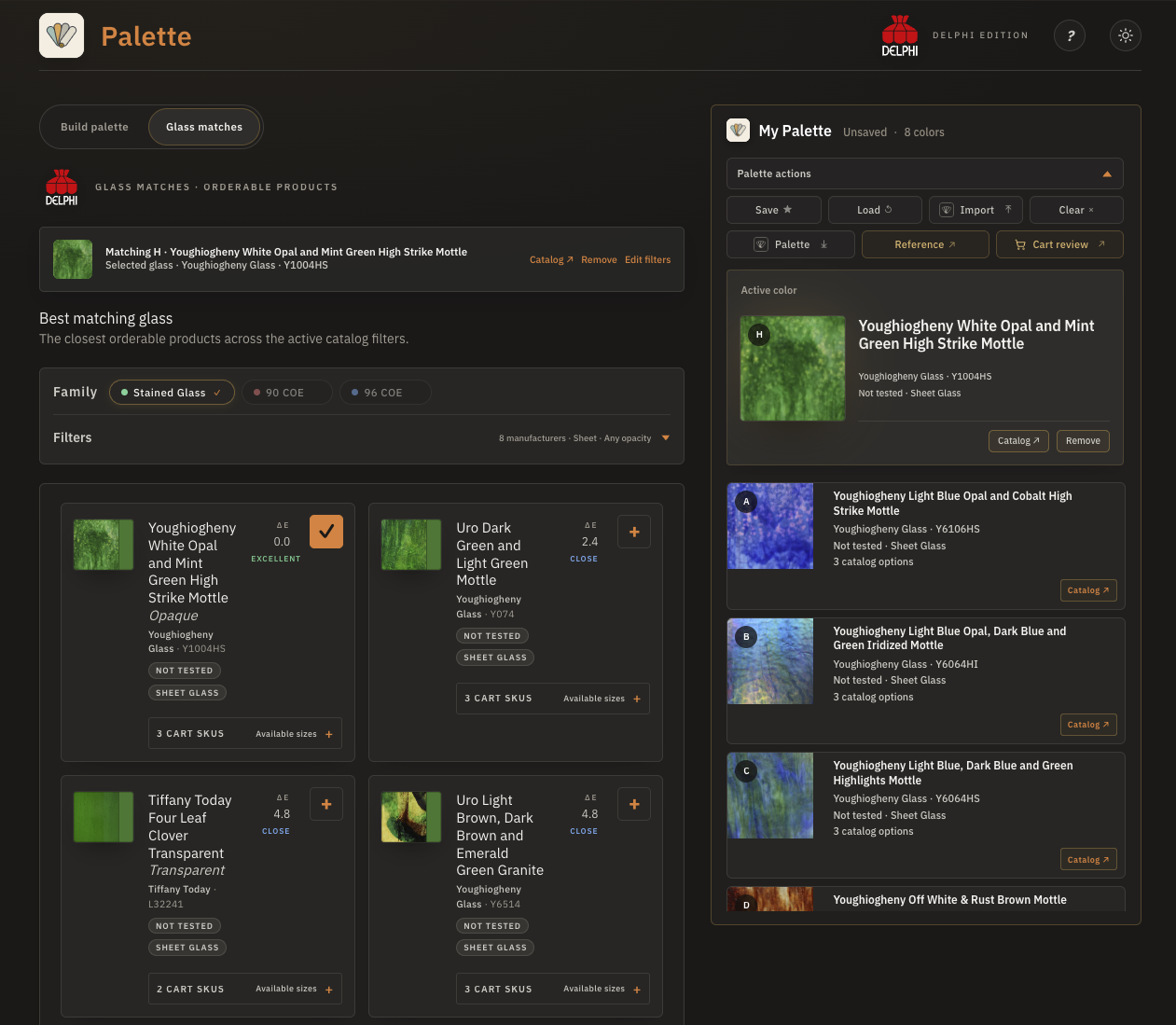
Move through Delphi’s 90 COE, 96 COE, and stained glass catalog families while keeping manufacturer, form, product image, and SKU context close at hand.
Save a working Palette in this browser, review the selected products, download a portable .palette.json file, or carry sheet-glass choices into Template Studio.
A clear studio workflow
Palette does not replace the physical sample on your table. It gives you a clearer shortlist and a reusable record of the exact products you intend to test or buy.
Work from a photo, a catalog product, or a color value. Point sampling is precise; area sampling helps when lighting, texture, or glare varies.
Compare ranked options, inspect product details, and deliberately choose the exact glass that belongs in your project Palette.
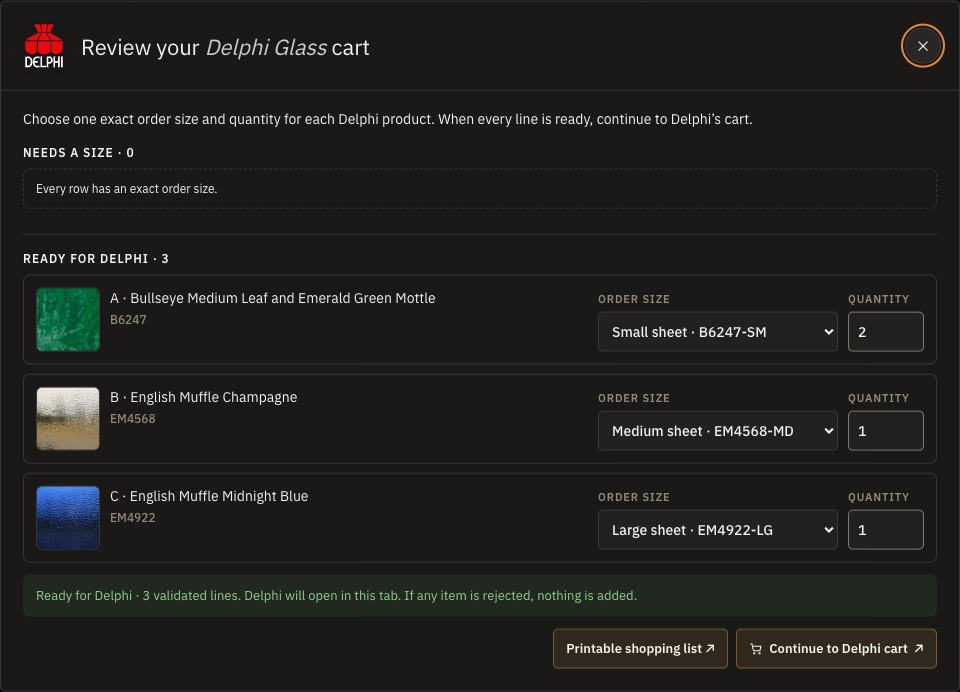
Keep the Palette locally, make a reference sheet, review selected products and quantities for Delphi, or move sheet glass into Template Studio.
Cart Review + Delphi checkout
Plan with My Glass Cookbook, then review your selected Delphi glass and check out directly with Delphi. Cart Review keeps each chosen product, available order size, and quantity visible before the handoff.
Checkout happens with Delphi. My Glass Cookbook does not process orders or payments. Pricing and availability remain subject to Delphi’s current catalog and cart.
Where it helps
Pull a practical family of colors from artwork, flowers, landscapes, interiors, or any image that sets the direction for a project.
See similar glass together before you commit, especially when texture, opacity, form, or manufacturer matters as much as hue.
Keep COE and stained-glass context visible so a color idea does not quietly become the wrong material choice.
Download a small portable Palette file that can be backed up, shared between your devices, or opened in Template Studio.
Project privacy
Photo sampling and color work happen in your browser. Palette does not upload your reference image or working Palette to My Glass Cookbook during the core planning workflow.
Device fit
The core color-building workflow is designed to work across desktop, tablet, and supported phone layouts. A larger screen remains better for comparing several close catalog products.
Works better together
When the pattern is ready, Template Studio uses selected sheet glass to assign pieces, estimate material, and create an organized project package.
Ready when you are
Your project work stays in your browser; only a cart handoff you choose sends reviewed product identifiers and quantities to Delphi.